Keep the archive on your PC
TrailEye reads files from your selected folders and builds its working archive locally.
Local-first analysis
TrailEye AI analyzes trail-camera photos and videos on your Windows PC. The standard detection and archive workflow does not require your footage to be uploaded to a cloud gallery.
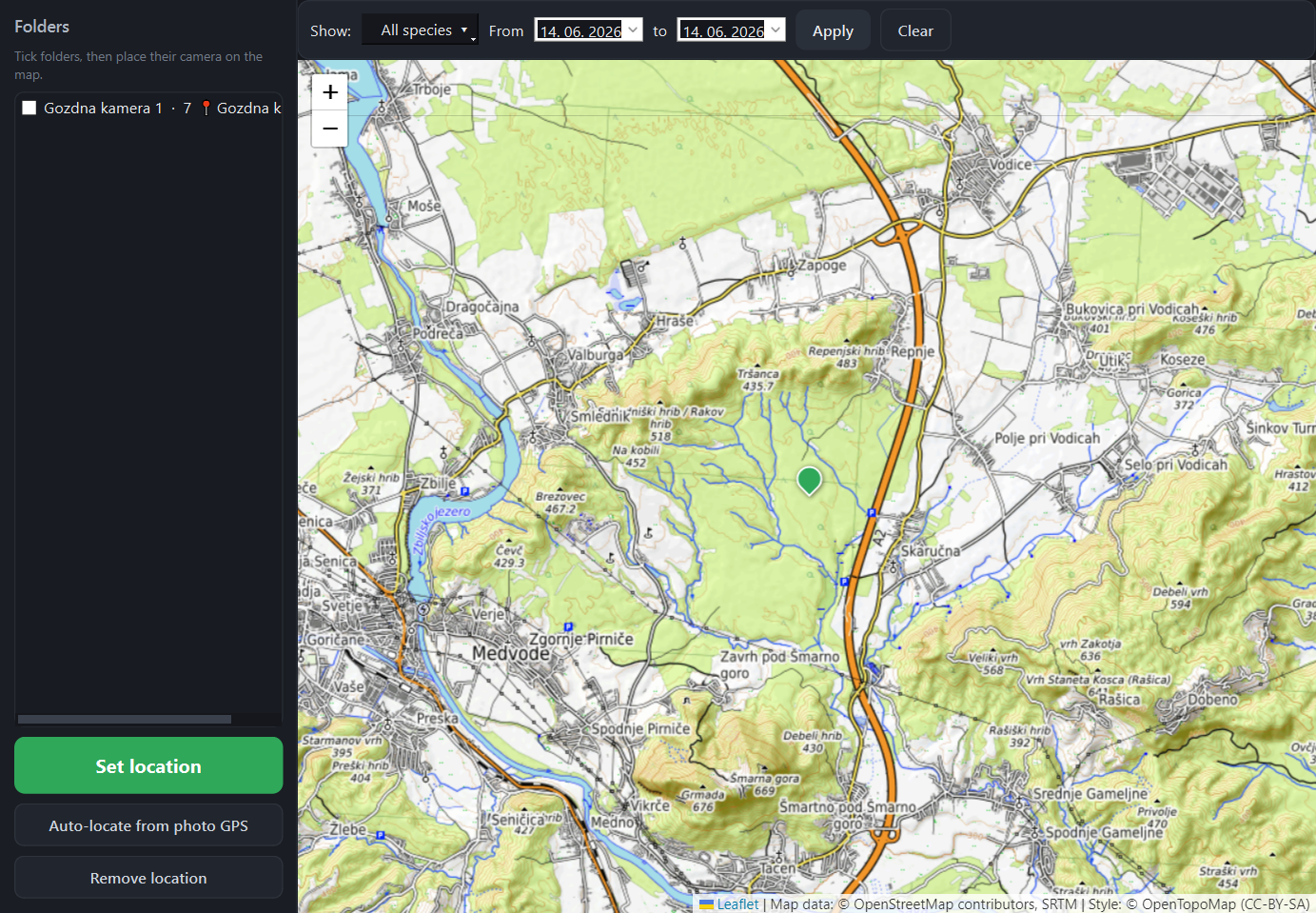
Private locations, timestamps and camera folders can remain under the user’s control on the Windows PC.
Why local processing matters
A trail-camera archive may contain people, vehicles, private property, precise camera locations and observations of sensitive species. Local processing reduces the need to transfer that archive to another service.
TrailEye reads files from your selected folders and builds its working archive locally.
Core detection and review tools can be used without uploading large camera folders.
Camera positions and wildlife observations do not need to become part of a mandatory vendor cloud.
Free is permanent. Explorer and Professional are available as one-time licences.
Confirm, reject or relabel predictions instead of treating the AI result as final authority.
The workflow is not restricted to one connected trail-camera brand or subscription ecosystem.
TrailEye’s standard pipeline analyzes images and videos for animals, people and vehicles on the Windows computer. Supported animal detections can be refined into a supported-species library. Timestamp OCR, review, filtering, activity views, maps and exports are part of the desktop workflow.
Compatible Windows graphics hardware can accelerate AI inference through DirectML. A network connection is not required merely to send every source file to a hosted gallery.
“Local-first” should not be confused with a claim that the application can never communicate with any network service. Depending on the feature used, network access can include map tiles, software or licence validation, and an optional custom text-prompt cloud search.
The optional cloud search is separate from the standard local detector, requires the user’s own provider API key and sends selected image data to that chosen provider. Do not enable it when project rules require every image to remain offline.
Keeping data local helps with control, but the person operating the camera remains responsible for lawful placement, access, retention and disclosure. Images containing people, vehicles or neighbouring property may be personal or sensitive data under local law.
Cloud platforms are useful when instant remote delivery, collaboration or cellular-camera integration is the main requirement. Local desktop software is a better fit when footage already arrives on SD cards or disks, upload bandwidth is limited, locations are sensitive, or the operator wants an archive independent of a camera subscription.
TrailEye is not intended to replace every cloud feature. Its role is to provide an approachable Windows workflow from ordinary camera folders to reviewed, searchable results.
Related TrailEye workflows
Permanent Free edition · No credit card · Windows desktop app